Adding a named driver is essential if someone else drives your car regularly. This will avoid you paying an additional excess for unnamed drivers if you make a claim. It is a simple process that can be completed online through your My Insurance account.
Adding a named driver
Step 1: You will need to know their:
- First and last name
- Date of birth
- Driving experience and what kind of license they have
- Claims history for the past two years
- Any driving or other convictions they have had recently
Step 2: Choose which policy you want to add the driver to
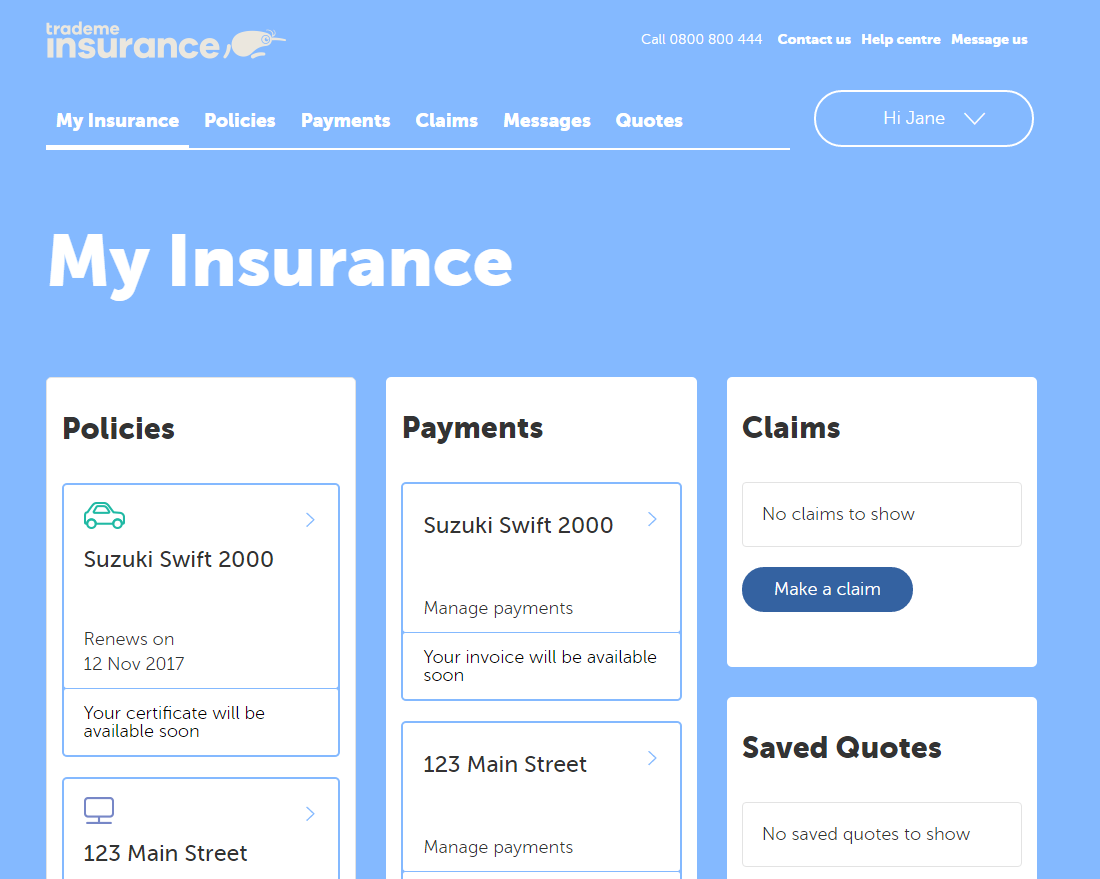
Step 3: Click into the policy to expand into the policy view. This will have a policy summary section with basic details.
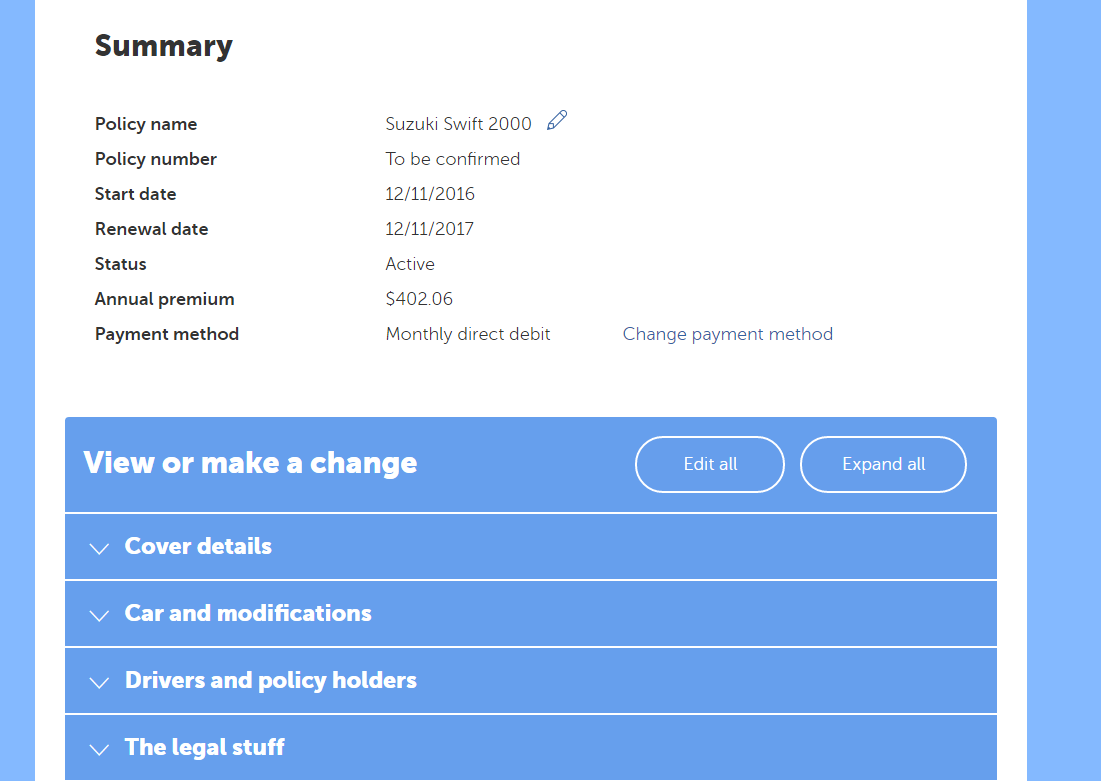
Step 4: Click the arrow next to Drivers and policy holders to expand this section.
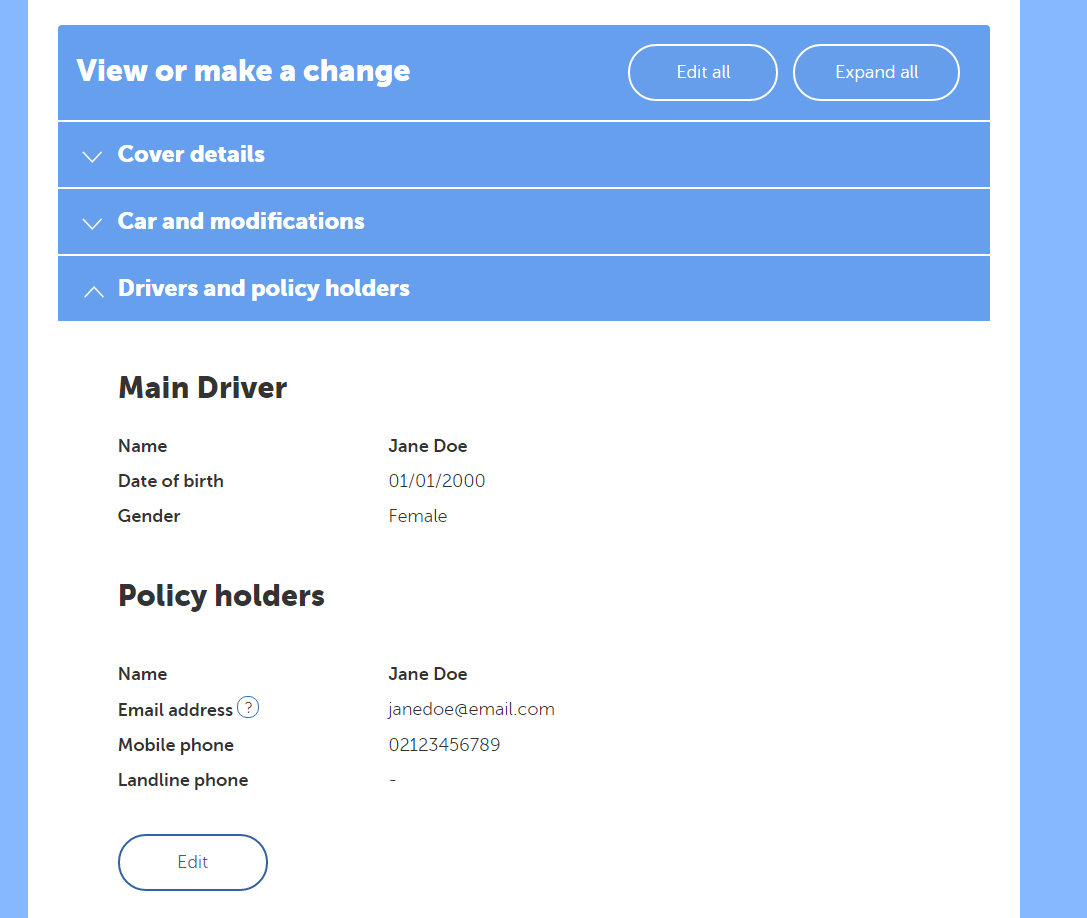
Step 5: From this section, you can edit the driver details, or list other drivers.
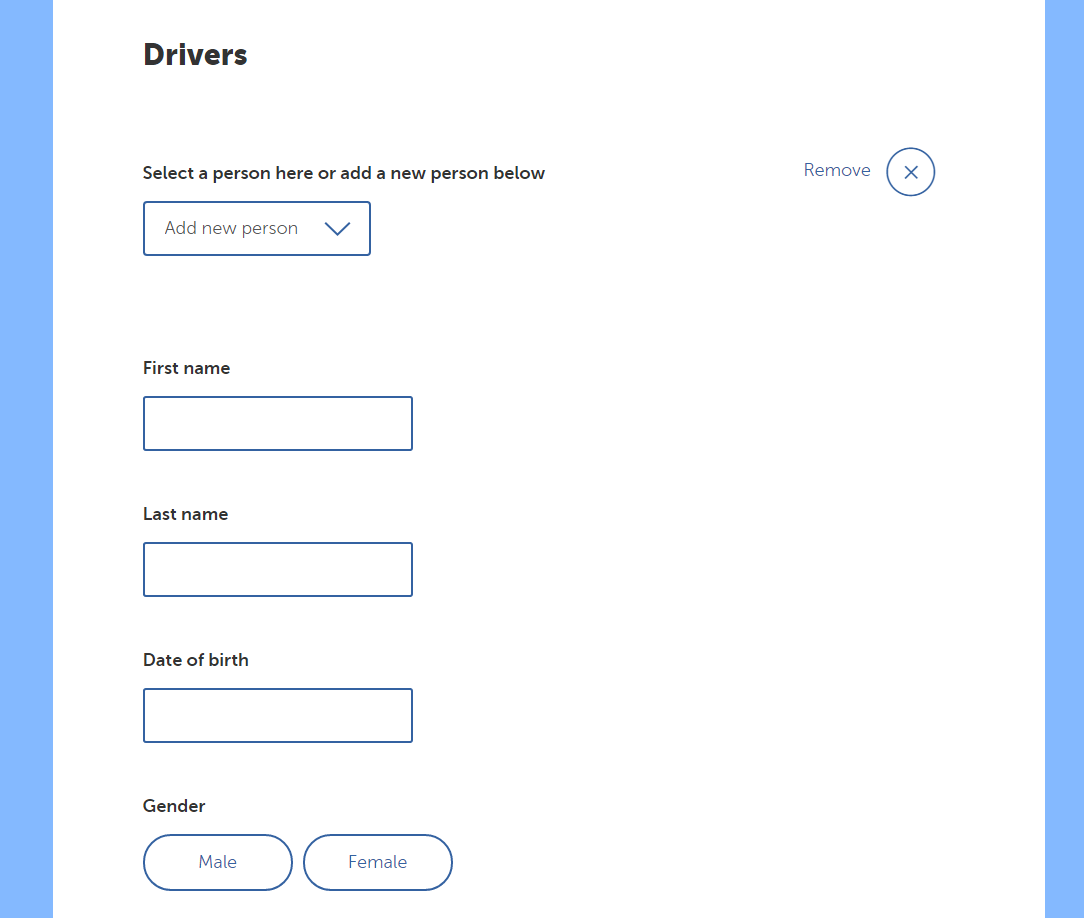
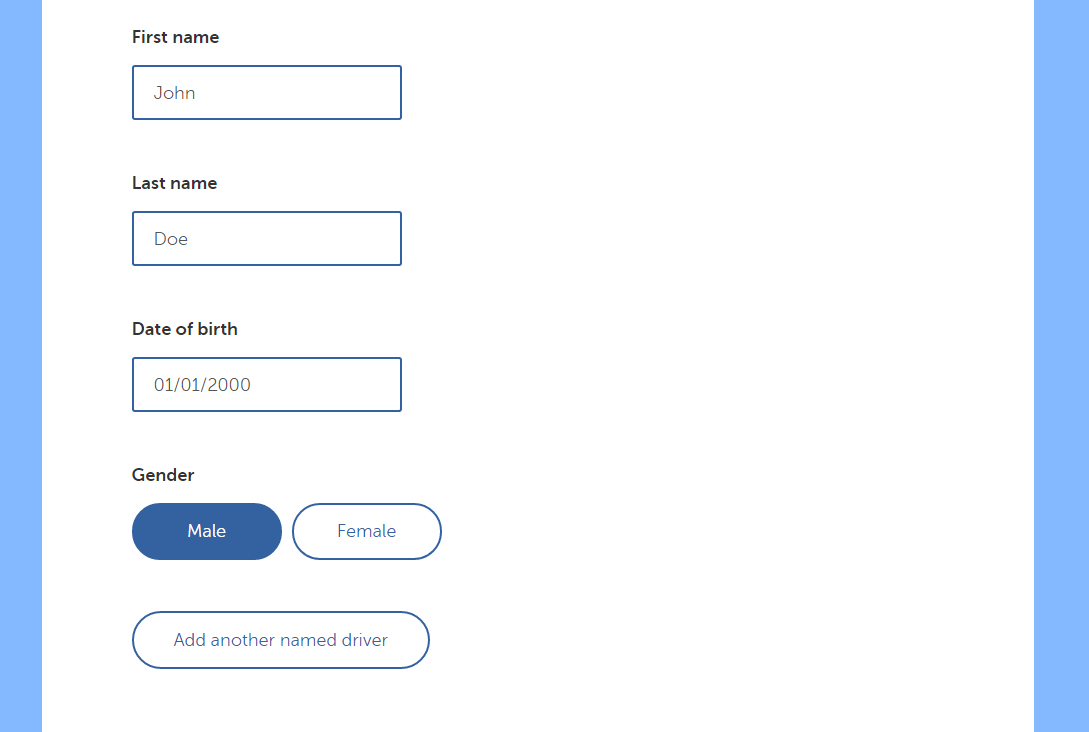
Step 6: Add in the new driver's details
Then click the Next button at the bottom of the page. If you change your mind, just click Cancel changes instead.
Please note: You may see a change in premium depending on the drivers age, driving experience or claims history. If you have any questions regarding a premium change, fire up a live chat and ask away.
Step 7: Sit back and relax!
Still unsure? Fire up a live chat or contact us, we are here to help.